

The Consolidated AI Stack
A practical guide to multi-model AI platforms for architects and designers

Architects and designers entering AI today are not short on tools—they are short on orientation. The real challenge is not choosing “the best model,” but understanding how different models think, see, and respond so you can design a workflow that actually fits your process.
Consolidated AI platforms matter because they allow you to test multiple models, modalities, and interaction styles under one subscription before you commit to a fragmented stack. Think of them as labs, not destinations.
Below, each platform section explicitly outlines the types of AI tools and representative models available inside them—LLMs, image generators, video generators, and agents—so this article works as a grounded reference, not a vague roundup.
1. Poe
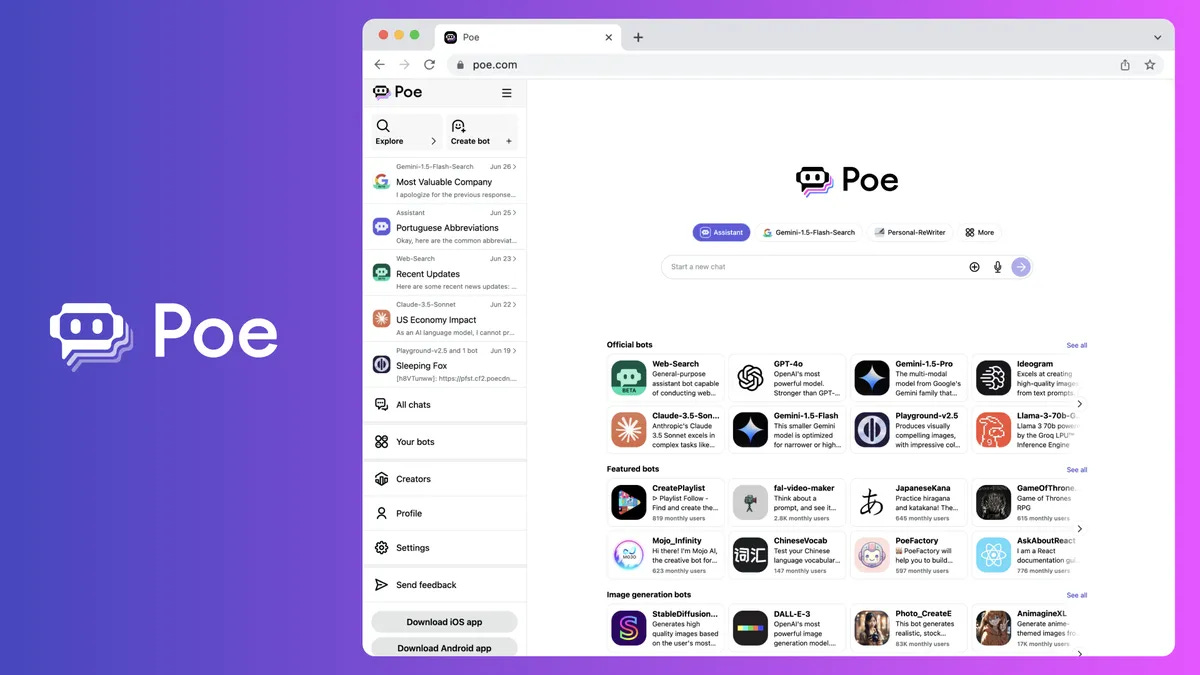
Poe is a multi‑model AI hub that aggregates large language models, image generation bots, and emerging video tools into a single conversational interface. It is best understood as an AI switching station.
Why it matters for designers
Architects often underestimate how much thinking happens before drawing. Poe excels at early-stage cognition, it lets you compare how different models respond to the same architectural brief—in text, image, and sometimes motion—without changing platforms. It is especially useful for early‑stage thinking, narrative testing, and quick visual probes.
AI tools on Poe
Multi-LLMs (GPT-4/4o/5 variants, Claude Sonnet/Opus, Gemini), image generation bots such as Nano Banana / Nano Banana Pro, FLUX, Seedream, Gemini Image bots, and limited video/motion tools via Gemini and Veo-based bots, alongside hundreds of community-built task-specific agents.
Basic pricing
Paid plans typically start around $20/month.
Try here: Poe
2. Flora
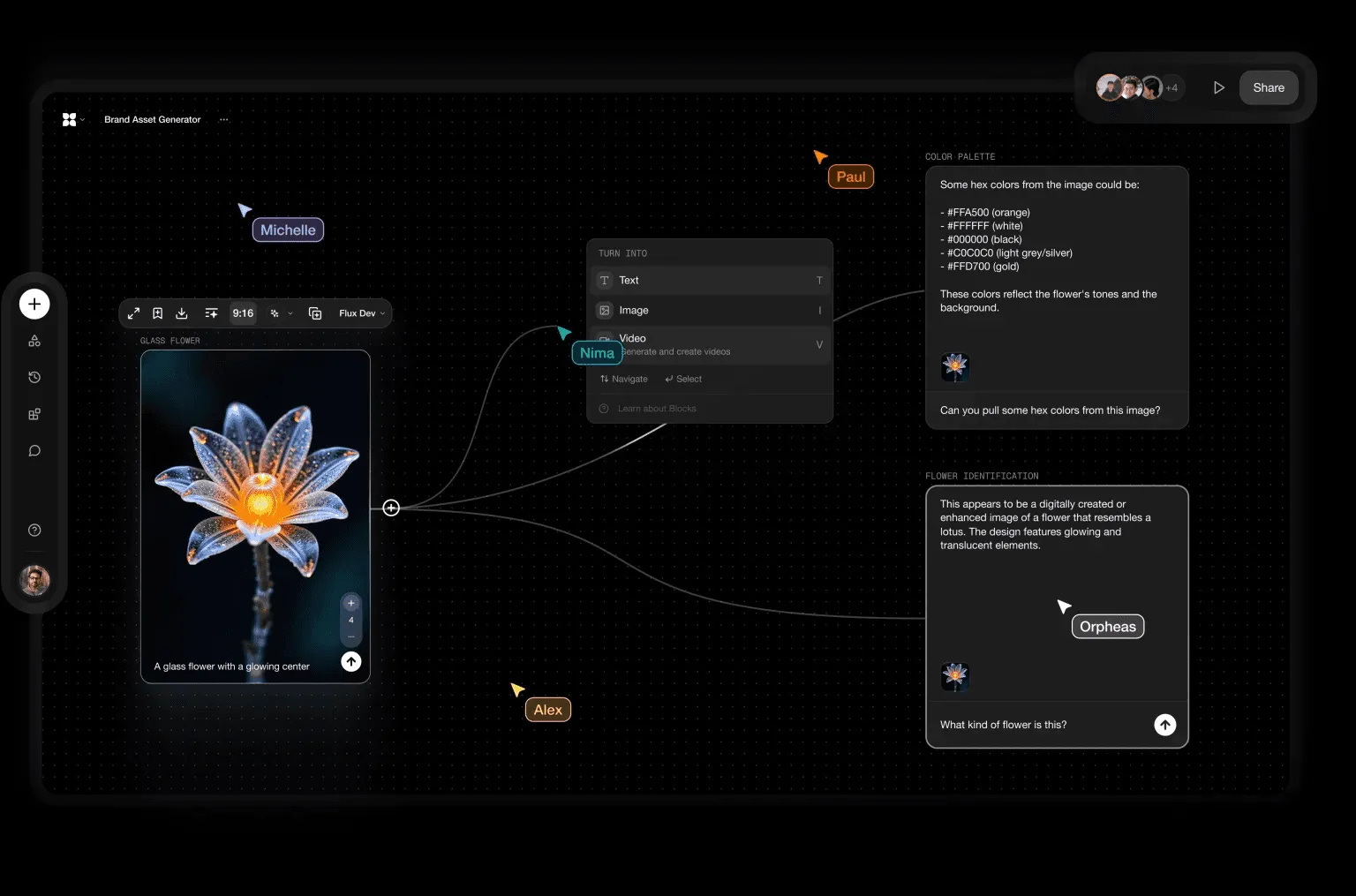
Flora is a multimodal creative canvas that connects text, image, and video generation into one visual workspace. Unlike chat-based tools, it encourages diagrammatic thinking. Beyond raw generation, Flora also offers pre-built generative workflows for visual effects, advertising, photography, concepting, motion, branding, and architecture—these workflows act as starting frameworks that designers can extend, remix, and adapt into their own AI-assisted processes.
Why it matters for designers
Flora shifts AI from isolated generation to structured creative workflows. The presence of ready-made pipelines for concepting, motion, branding, and architecture helps designers start with intent rather than a blank canvas, while still allowing deep customisation as ideas mature.
AI tools on Flora:
Integrated LLMs, high-end image generators (Imagen 3/4, FLUX Pro/Dev/Redux, Stable Diffusion 3.x, Seedream 4.0, Photon), and advanced video generators (Kling, Veo 2/3, Seedance), all connected on a single multimodal canvas.
Basic pricing
Free trial available with paid plans starting at $16/month on an annual plan.
Try here: FloraFauna
3. Krea
Krea is a real-time generative image platform that blends speed with control, including upscaling, editing, and iterative refinement.
AI tools available on the platform
Image generation models: A rotating library of diffusion models (including FLUX‑style and SD‑derived models) optimised for speed and iteration.
Video & motion tools: Real‑time animation, image‑to‑video, and motion refinement tools.
Enhancement tools: Upscaling, relighting, material refinement, and style locking.
Pipeline logic: Node‑based chaining of generation → edit → enhance → animate.
Krea for architecture: Helps to create and upscale realistic renders.
Try here: Krea for architecture
Why it matters for designers
Krea sits between ideation and production. It supports controlled evolution of images instead of repeated regeneration, which aligns well with architectural intent.
Basic pricing
Free trial available with paid plans starting at $10/month.
Try here: Krea
4. Weavy
Weavy, now integrated into Figma as Figma Weave, blends generative AI directly into a professional design and layout environment.
AI tools available on the platform
Text & reasoning models: Integrated LLMs for content, annotation, and structured text generation.
Image generation models: Gemini Image models, Ideogram‑style text‑to‑image systems, context‑aware image generation.
Motion & animation tools: AI‑assisted animation and motion generation embedded into the design canvas.
Editing & control: Layer‑based editing, composition control, and design‑native manipulation of AI outputs.
Why it matters for designers
Weavy removes the gap between generation and design execution. AI outputs remain editable as design objects, not flattened images.
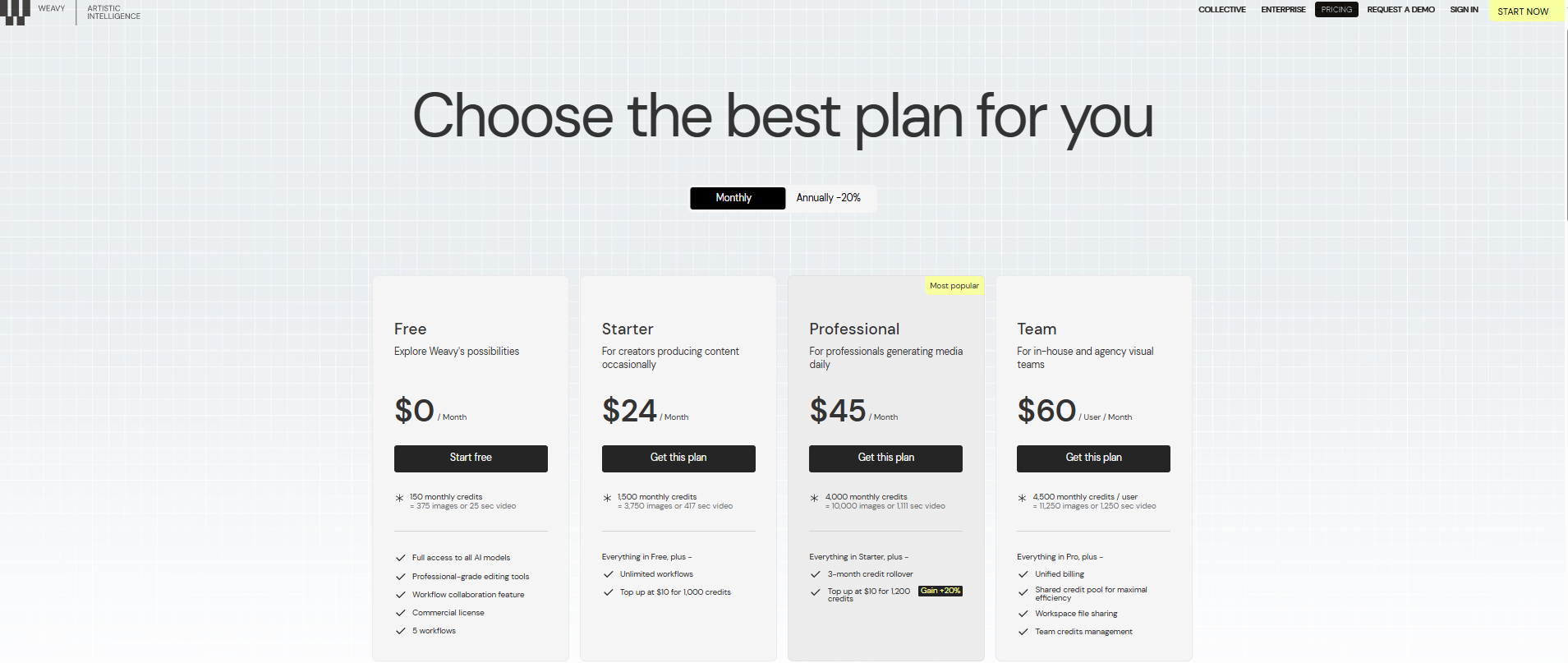
Basic pricing
Try here: Weavy AI
5. Global GPT
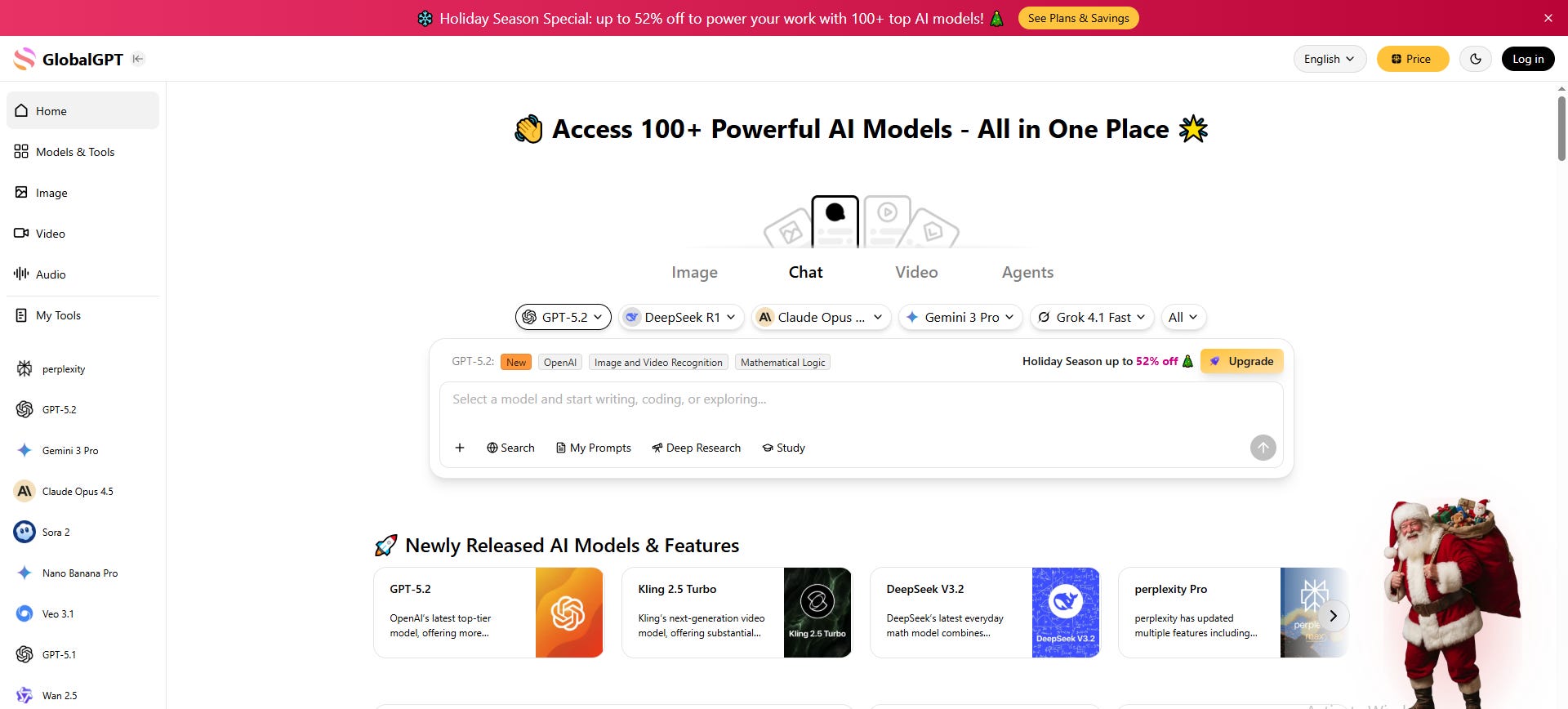
Global GPT is a broad aggregation platform offering access to a large library of LLMs, image generators, video tools, and utility agents under a single subscription.
AI tools available on the platform
LLMs: GPT‑series, Claude variants, Gemini models, DeepSeek, and other open/closed models (availability varies).
Image generation: FLUX, Nano Banana / Pro, Ideogram, Sora Image variants.
Video generation: Sora, Veo, Kling, Runway‑style tools (library evolves over time).
Utility agents: Research tools, document analysis, prompt testing, and productivity assistants.
Why it matters for designers
Global GPT is ideal for model comparison. You can test the same prompt across multiple engines to understand stylistic and reasoning differences.
Basic pricing
Typically starts below USD 10/month for entry‑level access.
Try here: Global GPT
6. Xfigura
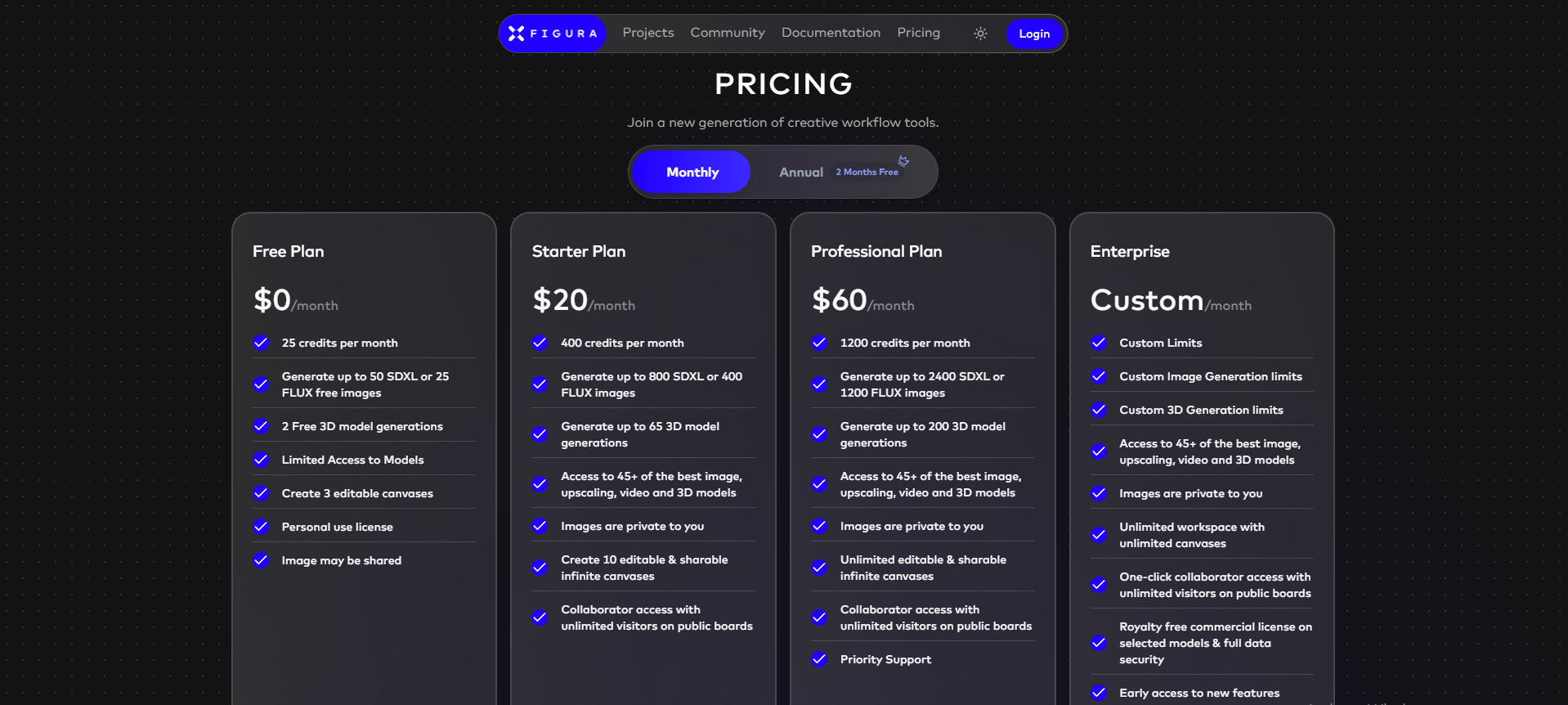
Xfigura focuses on AI-driven spatial and visual intelligence, leaning closer to design and form than general-purpose generation.
Why it matters for designers
This is one of the few platforms that feels architecturally inclined. It rewards structured inputs and benefits designers who think in systems, geometry, and constraints.
AI tools available on the platform
Spatial reasoning models: LLMs tuned toward structure, constraints, and form logic.
Visual generation: Diagrammatic and form‑aware image generation rather than purely stylistic renders.
Basic pricing
Try here: Xfigura
7. Comfy Cloud
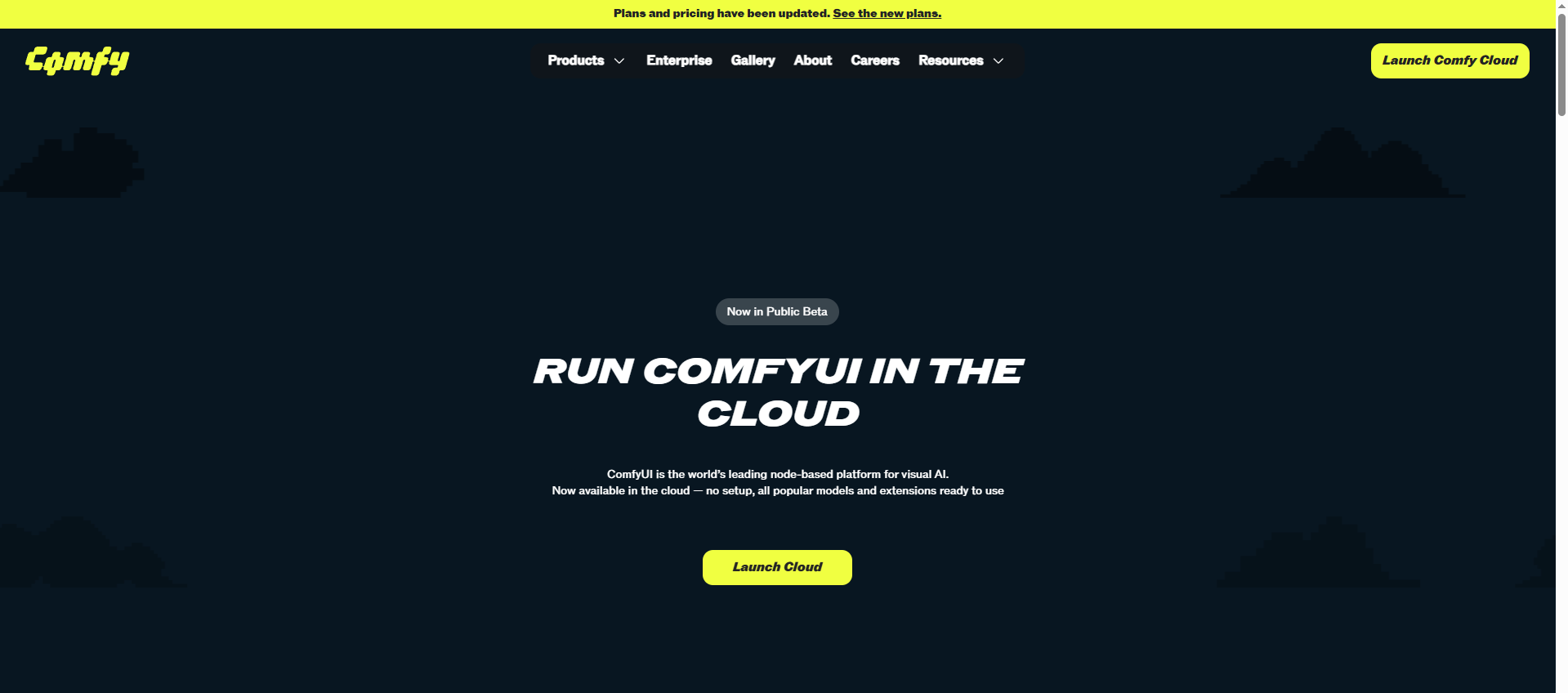
Comfy Cloud is the cloud‑hosted version of the ComfyUI ecosystem, enabling advanced node‑based AI workflows without local setup.
AI tools available on the platform
Diffusion models: User‑selectable open‑source and licensed models (image generation, editing, control).
Workflow nodes: Generation, inpainting, upscaling, control nets, LoRA integration.
Agent logic: Scripted and conditional pipelines for complex generation flows.
Why it matters for designers
Comfy Cloud is where architects move from using AI to designing AI workflows—defining how models interact rather than accepting defaults.
Basic pricing

How to use these platforms intelligently
Start with one consolidated platform. Spend a few weeks observing how different models influence your thinking, visuals, and decision‑making. Only then fragment your stack.
AI is not a shortcut—it is a diagnostic lens for your own design intelligence.
Now, choose your poison!
I’m Sahil Tanveer of the RBDS AI Lab, where we explore the evolving intersection of AI and Architecture through design practice, research, and public dialogue. If today’s post sparked your curiosity, here’s where you can dive deeper:
Read my book – Delirious Architecture: Midjourney for Architects, a 330-page exploration of AI’s role in design → Get it here
Join the conversation – Our WhatsApp Channel AI in Architecture shares mind-bending updates on AI’s impact on design → Follow here
Learn with us – Our online course AI Fundamentals for Lighting Designers is power-packed with 17+hrs of video content through 17 lessons → Enroll Here
Explore free resources – Setup guides, tools, and experiments on our Gumroad
Watch & listen – Our YouTube channel blends education with architectural art
Discover RBDS AI Lab – Visit our website
Speaking & events – I speak at conferences and universities across India and beyond. Past talks here
📩 Enquiries: sahil@rbdsailab.com | Instagram